

How to Handle Product Sunsetting Without Losing Customer Trust
Product sunsetting is the planned retirement of a product. Learn when to sunset a product, how to communicate it, and how to protect customer trust.


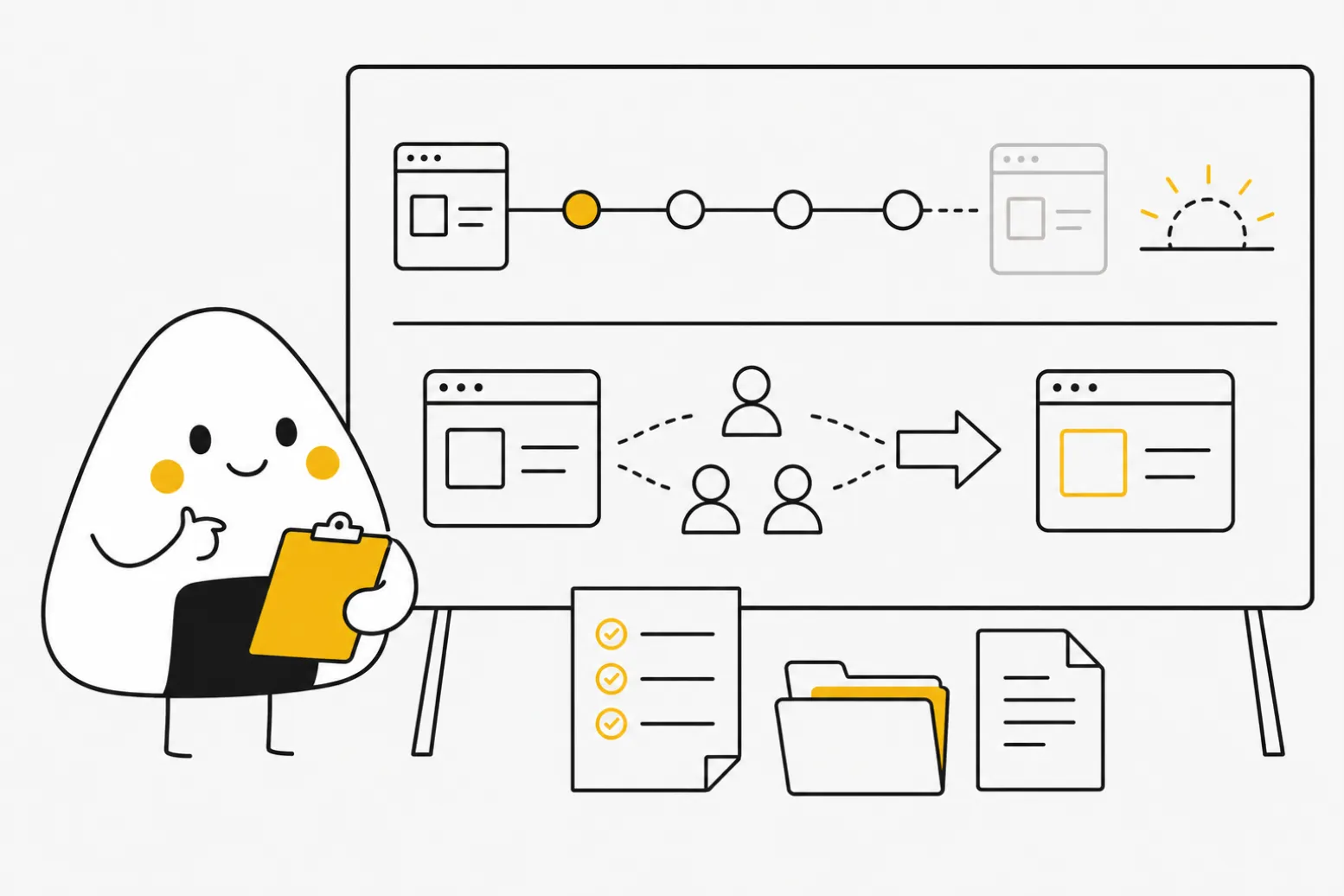
Table of Contents
Audio
Product sunsetting is the planned, gradual retirement of a product or feature. It happens on a timeline that gives customers time to migrate before support ends. That's the difference between quietly killing something overnight and shutting it down in a way that protects revenue, trust, and your team's reputation.
Most products get sunset for the same handful of reasons. They no longer fit the strategy. They cost more to maintain than they earn. Or a newer offering has already replaced them internally. Deciding a product has run its course is rarely the hard part. Executing the shutdown without burning the customers still depending on it is.
Whether you're retiring a single feature or an entire product line, the same principles apply: decide early, communicate clearly, and give people a way out before you pull the plug.
This guide covers what sunsetting actually means, how to run the process step by step, and what tools can help you manage the transition. You'll also find answers to the questions product teams ask most often once a sunset lands on their roadmap.
What Does Sunsetting a Product Actually Mean?
Sunsetting a product means announcing a fixed end date for it, then winding down development, support, and availability on a published schedule. It's deliberate and staged, not an emergency shutdown.
The term borrows from legislation, where a sunset clause sets an expiration date on a law unless it's renewed. Product teams use it the same way. A sunset date is a commitment, not just a plan.
Sunsetting differs from simply discontinuing a product. Discontinuation can happen with little warning: a company stops selling something, and support ends soon after. Sunsetting follows a structured timeline instead, and it typically includes:
- An internal decision, backed by a business case for why the product no longer earns its keep
- A public announcement with a firm end-of-support date
- A migration period, where existing customers get help moving to an alternative
- A final shutdown, once the migration window closes
Companies sunset products for a mix of reasons. A product might no longer align with current strategy, even if it still has active users. It might cost more in engineering and support time than it generates in revenue. Or a newer product, inside the same company or a competitor's line, might have already made the old one redundant.
The timeline length depends on how deeply customers depend on the product. A niche internal tool might need only a few weeks' notice. A core enterprise platform, especially one embedded in customer workflows, often needs six to twelve months. Gartner's product lifecycle framework treats retirement as its own planning phase, on par with launch or growth. Rushing it creates outsized business risk, which is exactly why.
How to Sunset a Product Without Losing Trust
A good sunset process starts long before the public announcement. Once leadership confirms the product is ending, product and customer success teams need to align on segmentation, messaging, and timing before anyone outside the company hears about it.
- Segment customers by impact. Not every user faces the same disruption. Rank accounts by usage depth, contract value, and how tightly the product is woven into their workflow. High-dependency accounts need more lead time and often a direct conversation, not just an email.
- Set a realistic timeline. AWS's own service lifecycle policy commits to a minimum notice period before discontinuing customer-facing functionality, precisely because migrations take longer than teams expect. Enterprise customers often need six months or more to budget, test, and switch; smaller accounts can usually move faster.
- Communicate early and repeat the message. One announcement is not enough. Send the initial notice, then follow up at set intervals as the end date approaches. Silence between updates is what makes customers feel abandoned, not the sunset decision itself.
- Give every user a migration path. A sunset without an alternative is just a cancellation. Point customers to a replacement product, a competitor, or a data export tool, and make the switch as close to painless as possible.
- Support the transition, not just the announcement. Keep a support channel open through the full migration window. The last few customers to move are often the ones who needed the most help, not the ones who ignored the notice.
Before committing to any of this, check whether sunsetting is actually the right call. Some products that look like dead weight just need a different pricing model, a narrower audience, or a scoped-down feature set. Our piece on reviving a struggling product before killing it covers that decision in more detail.
Software and Tools to Manage a Product Sunset
Running a sunset well usually means coordinating several tools, not buying one piece of sunsetting software. Most product teams lean on four categories:
- Customer success and lifecycle platforms (like Gainsight or Vitally) to segment accounts by risk and track migration progress account by account.
- In-app messaging tools (like Intercom or Pendo) to deliver in-product banners and reminders as the end date approaches, so the message reaches users who don't read email.
- Data export and migration tools, often built in-house, to help customers pull their data out cleanly before shutdown.
- Project management tools (like Jira or Asana) to track the internal sunset plan itself: announcement dates, support cutoffs, and final shutdown.
When comparing options, weigh how they handle account segmentation, automated reminder sequences, and reporting on who has and hasn't migrated yet. A tool that only sends one blast email to your entire user base isn't built for this job.
McKinsey's research on portfolio analytics points to a related lesson. The products worth sunsetting are rarely the ones with the lowest raw usage. They're the ones that share the least in common with the rest of the portfolio, which means they cost the most to maintain relative to the value they add. That same lens is worth applying to your product line as a whole, not just the one item you're currently retiring. Product teams that track this alongside the broader product life cycle tend to catch sunset candidates earlier, before a product becomes an emergency instead of a planned decision.
FAQ
Conclusion
Sunsetting a product is a strategic decision. Handled well, it frees your team to focus on what customers actually need next, and it preserves the trust that makes them willing to follow you there.
Before you set a shutdown date, confirm the business case, build a realistic timeline, and give every affected customer a clear path forward. That's the difference between a sunset customers respect and one they remember as an abandonment.

Interested in working with us?
Our Interim/Fractional Product Managers, Owners, and Leaders quickly fill gaps, scale your team, or lead key initiatives during transitions. We onboard swiftly, align teams, and deliver results.
Read More Posts
October 7, 2026
Monetized Products: What It Means and How to Plan Yours
A monetized product earns revenue from the value it delivers. Learn how to build a monetization strategy for software and apps, and which model fits.
October 5, 2026
Value Proposition: What It Is and How to Write One That Sells
A value proposition tells a specific customer why your product beats their current option. Learn the meaning, canvas examples, and how to test yours.
October 1, 2026
How to Map and Manage Stakeholders with Mendelow's Matrix
Mendelow's matrix sorts stakeholders by power and interest. Learn the four quadrants, see a worked product example, and avoid the common mapping mistakes.