
The Product Leader’s Framework for Effective Prototype Strategy
Bridge the gap between vision and reality. Explore the strategic definition of prototype, UX UI prototype methods, and high-fidelity examples to reduce product risk and align stakeholders.


Table of Contents
The Product Leader’s Framework for Effective Prototype Strategy
A prototype is an early, physical or digital visualization of a product designed to test a concept, process, or assumption before committing to full-scale development. In the world of product management, it serves as the bridge between an abstract idea and a functional reality, allowing teams to gather user feedback and identify technical constraints early in the lifecycle. This article explores how to leverage different prototyping methods to mitigate risk, align stakeholders, and ensure your final product resonates with your target market.
Transitioning from a product vision to a tangible asset requires a strategic approach to validation. We will cover the spectrum of fidelity—from rapid paper sketches to interactive digital models—and how each serves a specific purpose in the product discovery phase. By understanding the nuances of the definition of prototype and its application in modern workflows, product managers can make informed decisions that save time, reduce waste, and ultimately deliver superior user experiences.
Designing a successful product is rarely a linear path; it is a series of iterations fueled by data and observation. Whether you are building a B2B SaaS platform or a consumer-facing mobile app, the ability to iterate through a prototype effectively is a core competency that separates high-performing product teams from those that struggle with feature creep and technical debt. Let’s dive into the essential components of prototyping and how they function within a professional product environment.
Strategic Fundamentals and the Definition of Prototype
At its core, the definition of prototype refers to a preliminary version of a product that allows you to explore ideas and show the intention behind a feature or the overall design to users. It is not the final product, but rather a tool for learning. In product management, we use prototypes to fail fast and learn quickly, ensuring that the development team spends their effort on features that provide genuine value. By creating a representation of the end product, you can visualize the user journey and identify friction points that might not be obvious in a PRD or a static wireframe.
In a professional setting, the prototyping phase is where the "why" of a product meets the "how." For instance, when we consult with growth-stage startups, we often see a rush to code. However, utilizing a data-validated MVP prototype allows teams to verify assumptions about user behavior without the overhead of backend engineering. This strategic pause prevents the common pitfall of building a technically perfect solution for a problem that doesn't exist. According to the Interaction Design Foundation, prototyping is a crucial step in design thinking because it makes the design tangible and testable.
Effective prototyping also serves as a powerful communication tool. When you present a concept to stakeholders, a visual model is far more persuasive than a slide deck. It aligns the engineering, design, and business teams on a single source of truth. By defining the scope and fidelity of your model early on, you can manage expectations and ensure that feedback is focused on the right elements—whether that is the logic of the user flow or the specific aesthetic of the interface.
To maintain high standards, consider the following elements when setting your definition:
- Purpose: Are you testing technical feasibility or user desirability?
- Fidelity: How "real" does the model need to look to get the right data?
- Audience: Who is viewing this—internal developers or external customers?
- Longevity: Is this a "throwaway" sketch or a foundation for the MVP?
Ultimately, the goal is to reduce the "cost of change." The further along you are in the development process, the more expensive it becomes to fix a fundamental design flaw. A clear understanding of your prototype's role ensures that you are investing just enough effort to get the answers you need to move forward with confidence. This alignment prevents the "sunk cost fallacy" where teams feel obligated to ship a flawed design simply because they have already spent weeks coding it. By treating the prototype as an experiment rather than a miniature product, you protect the team's velocity and the company's resources.
Validating User Journeys with a UX UI Prototype
A UX UI prototype is specifically focused on the interactive and visual elements of the user experience. While a general prototype might test a technical algorithm or a business logic, a UX/UI-focused model tests how a human interacts with the interface. This involves mapping out transitions, button placements, and navigation structures to ensure the interface is intuitive. At Product People, we emphasize that UI and UX design basics are essential knowledge for any PM who wants to lead a successful prototyping cycle.
To maximize the effectiveness of these models, many teams employ parallel and iterative design strategies. This involves creating multiple versions of a design simultaneously to compare different user paths. By testing these variations, you can find the most efficient route for the user. It is not just about making things look "pretty"; it is about functional clarity. A well-constructed UX/UI model allows you to observe where users hesitate, where they misclick, and where they express frustration, providing qualitative data that numbers alone cannot capture.
The components of a successful user-focused model often include:
- Interactive Hotspots: Areas that trigger a response when clicked or tapped.
- Dynamic Content: Using realistic data rather than "Lorem Ipsum" to test readability.
- Micro-animations: Subtle movements that guide the user's attention.
- Responsive Layouts: Testing how the interface adapts to different screen sizes.
By focusing on these details, product managers can provide developers with a clear blueprint, reducing the likelihood of "design debt" later in the cycle. This phase is less about the aesthetic choices and more about the cognitive load placed on the user. If a user has to think too hard about where to click next, the UI has failed, and the prototype has done its job by highlighting that failure early. High-quality interaction design within a UX UI prototype ensures that the final product feels seamless rather than disjointed.
Scaling Impact: Using a High Fidelity Prototype
The decision to build a high-fidelity prototype versus a low-fidelity one depends entirely on your current goals and the stage of your product discovery. Low-fidelity models, like paper sketches or basic clickable wireframes, are best for early-stage conceptualization. They are cheap to produce and easy to discard, which encourages the team to explore wild ideas without fear of wasting resources. At this stage, you are looking for structural feedback: Does this flow make sense? Is this feature necessary?
As the product matures and you need to move toward stakeholder buy-in or final usability testing, you transition to a high-fidelity prototype. These models look and behave almost exactly like the final product, featuring brand-accurate colors, real copy, and complex interactions. This level of detail is necessary when you need to convince executives or investors of the product's viability. As noted in Harvard Business Review, persuading the unpersuadable often requires a tangible "proof of concept" that leaves little to the imagination.
However, high-fidelity models come with a risk: users might focus on the color of a button rather than the logic of the feature. We recommend using high-fidelity versions only when the core functionality has been validated. In our experience at Product People, we have seen that the most successful teams use a tiered approach. They start with "ugly" prototypes to get honest feedback on functionality and then polish the experience as they move toward the build phase. This ensures that the final product is not only beautiful but fundamentally sound and user-centric.
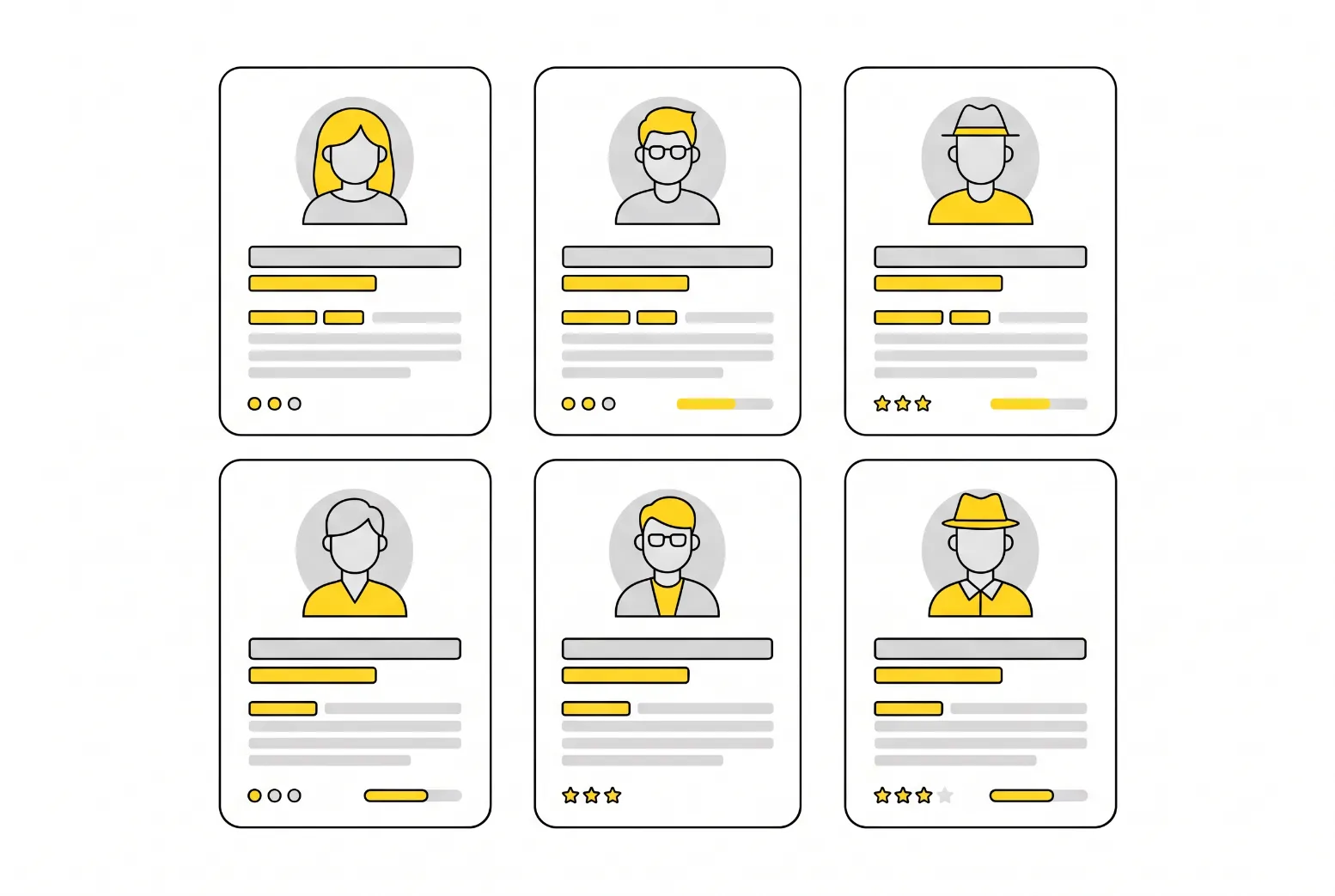
Consider a prototype example in a mobile app context. A low-fidelity version might be a set of cards showing the login screen, the dashboard, and a settings page. A high-fidelity version would be a fully interactive app mockup in Figma where the user can actually type in a name, see a loading spinner, and watch a transition slide into view. The latter is far more expensive to build but provides much higher confidence during final user testing. It bridges the gap between a "good idea" and a "ready-to-code" specification.
Strategic use of high-fidelity assets includes:
- Investor Pitches: Showing exactly what the final vision looks like.
- Final Usability Testing: Getting precise data on time-to-task and error rates.
- Developer Handoff: Providing a pixel-perfect guide for the front-end team.
- Marketing Previews: Creating early buzz with visuals that look like the real deal.
Managing the transition between these stages is where the true art of product management lies. If you move to high fidelity too early, you risk becoming attached to a design that doesn't actually solve the user's problem. If you stay in low fidelity too long, you might miss technical constraints that only appear when detailed interactions are mapped out. A balanced approach ensures that the prototype remains a servant to the product's success, rather than a distraction from it.
FAQs
Conclusion
Prototyping is an indispensable part of the product development lifecycle that transforms assumptions into evidence-based strategies. By mastering the various fidelity levels and focusing on user-centric design, product leaders can significantly reduce the risk of market failure and streamline the path to a successful launch.
Whether you are building a simple sketch or a sophisticated interactive model, the goal remains the same: to learn as much as possible with the least amount of effort. By integrating these practices into your workflow, you ensure that your team remains agile, your stakeholders remain aligned, and your users receive a product that truly meets their needs.
Interested in working with us?
Our Interim/Fractional Product Managers, Owners, and Leaders quickly fill gaps, scale your team, or lead key initiatives during transitions. We onboard swiftly, align teams, and deliver results.
Read More Posts
October 26, 2026
What Is a Persona? A Product Manager's Practical Guide
A persona is a research-based profile of a target user. Learn what goes into a user persona, how to create one, and where AI helps and fails.
October 19, 2026
How a Convenience Survey Works and When to Trust the Results
A convenience survey is fast and cheap, but easy to misread. Learn how convenience sampling works, where it misleads, and when product teams can use it.
October 19, 2026
Usability Testing: Methods, Types, Tools and Examples
Usability testing shows where real users get stuck. Learn the main types and methods, which tools to use, and how to run a first test this week.